When parents, staff and managers share the same picture, organising nursery life becomes clearer. Hello Kita brings messages, dates and everyday tasks together.
Hello Kita is browser software for organising and communicating in daycare centres. Managers, staff and parents have their own accounts with appropriate permissions. For nurseries in Mönchengladbach, this page shows how messages, absences and records work together. The provider is Wasa Consult, based in Heinsberg. Speak directly with the provider about the features your setting needs.
Works in your browserIndividual accounts for every roleBasic or Pro to suit your needs
FOUR ROUTES, ONE SHARED VIEW
Your day sets the direction.
Follow four familiar tasks. The compass shows who contributes information and where it is needed.
01Arrive
01
Arrive
Informed before the day begins.
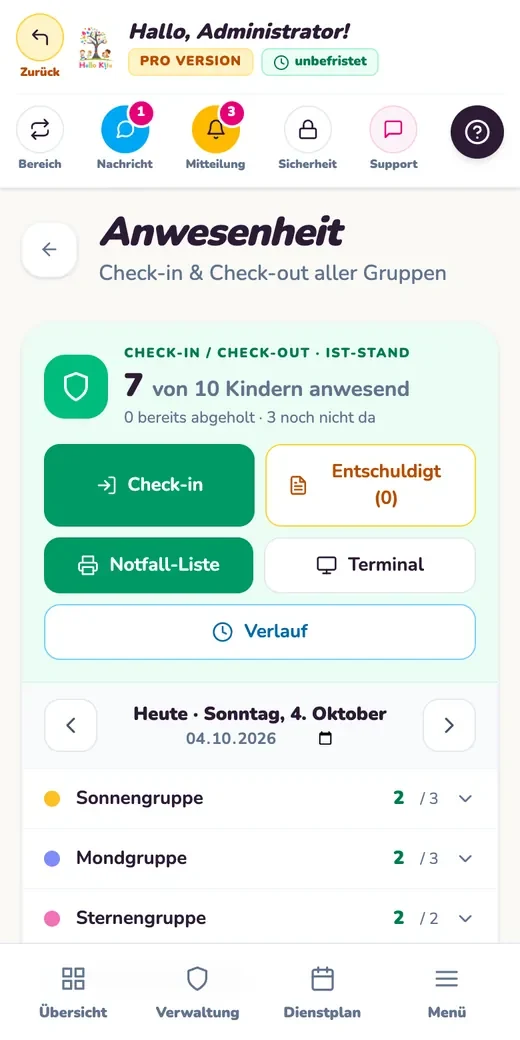
Parents report illness, holidays or another absence directly in Hello Kita, keeping the details available in the system. In Pro, checking children in and out adds a current view of who is present.
Basic: report absences. Pro: record attendance live.
Reporting absences and recording attendance are separate features. Choose the plan that fits the way your nursery actually works.
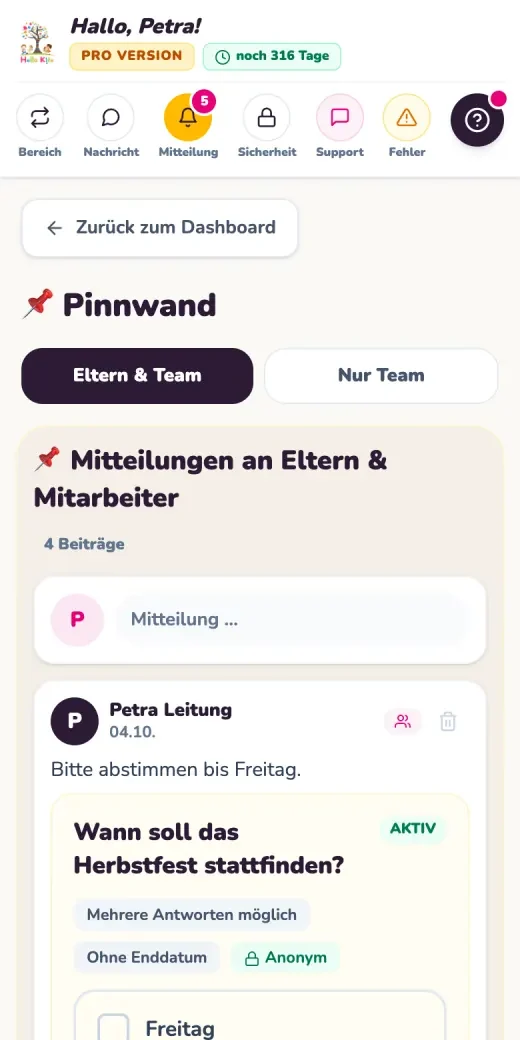
A post for parents, a quick staff note or a poll: the noticeboard brings messages together with images and PDF files. A separate staff area keeps internal information apart from parent communication.
Included in Basic: messages, noticeboard and polls.
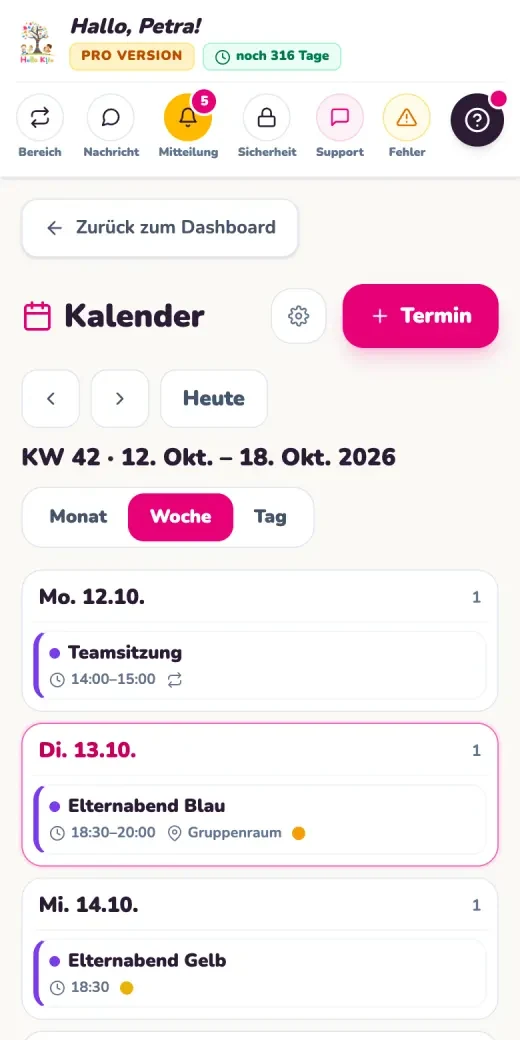
A shared calendar adds dates to your communication. Pro also includes additional pop up messages with optional push notifications.
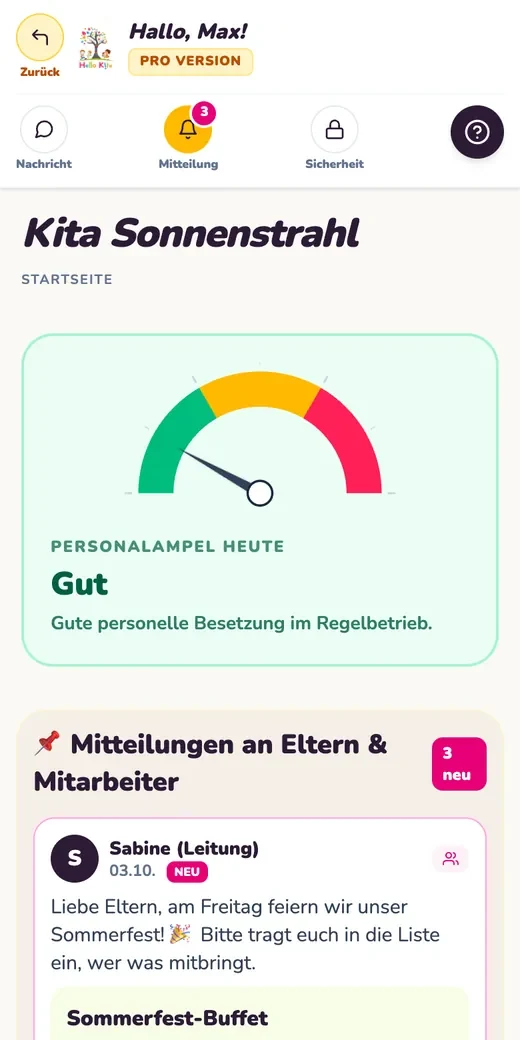
The staffing traffic light gives a clear picture of the current situation. Move the pointer and add your own wording to explain what the display means for your nursery. The staff area also brings working hours and leave details together.
Basic: staffing traffic light and a dedicated staff area.
Pro adds tasks, duties and staffing needs reports. Discuss the precise scope of shift planning with the provider.
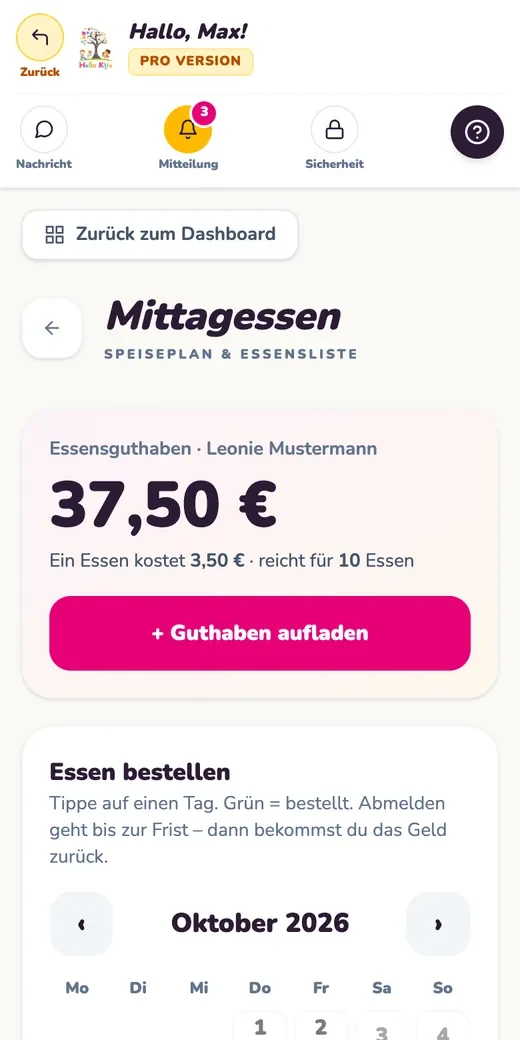
Basic lets families view the menu. In Pro, parents can order and cancel meals within the agreed deadline. The kitchen receives overviews by group, allergies and meal type. Credit balances and billing are also part of the extended features.
Basic: view the menu. Pro: orders and kitchen overviews.
Your nursery sets its own organisational rules. Ordering deadlines and credit balances can be discussed during setup.
A message to staff serves a different purpose from a post for parents. Hello Kita uses roles and permissions to keep information assigned clearly within your nursery.
◎
Managers and operators
Organisation, accounts and shared processes sit with those responsible for them. Separate data areas are provided for multiple settings.
↔
Early years staff
Staff have their own area for internal messages, working hours and leave. Pro adds tasks, duties and digital sickness reporting.
↗
Parents and families
Parents see the information shared with them, report absences and maintain details about their child and authorised collectors. Changes are recorded with a timestamp.
Hello Kita
Product view for illustration
AT YOUR DESK AND ON THE GO
Your routines stay. Access becomes more flexible.
Hello Kita runs in the browser. On a smartphone, you can add it to the home screen. Managers, staff and parents use their own accounts, without this page requiring a download from an app store.
Browser
Smartphone
Tablet terminal in Pro
A regular place by the entrance
With Pro, a paired tablet can serve as a terminal for checking children in and out. Discuss setup and a suitable device with the provider.
TAKE A LOOK INSIDE
The tools you will use each day.
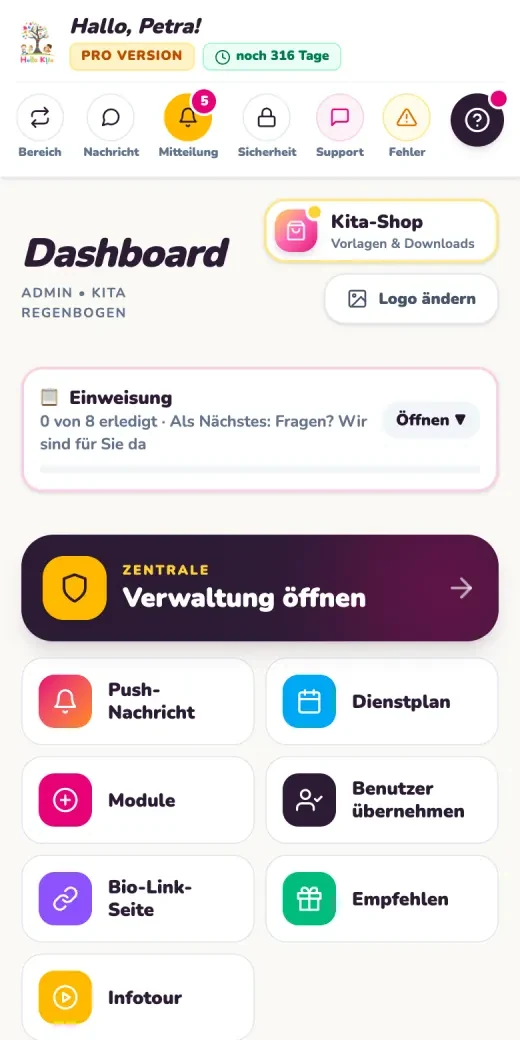
From the daily overview to the group calendar, explore the interface through real product views. Each image opens in full.
The calendar brings upcoming appointments and annual dates together.
These views come from Hello Kita’s public product presentation. They illustrate features and are not customer references. Use the arrow to open each complete original image.
OBSERVE, RECORD, SHARE
Records with a clear next step.
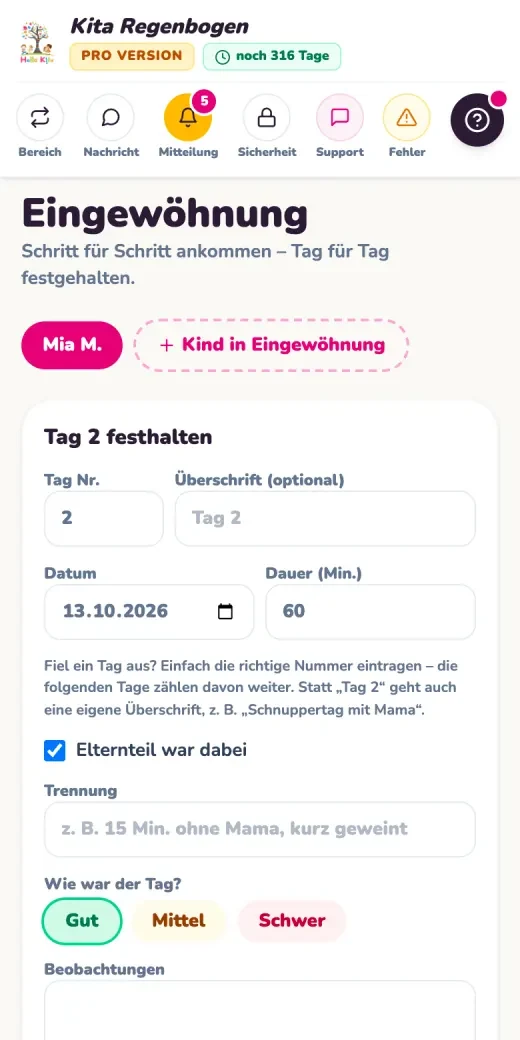
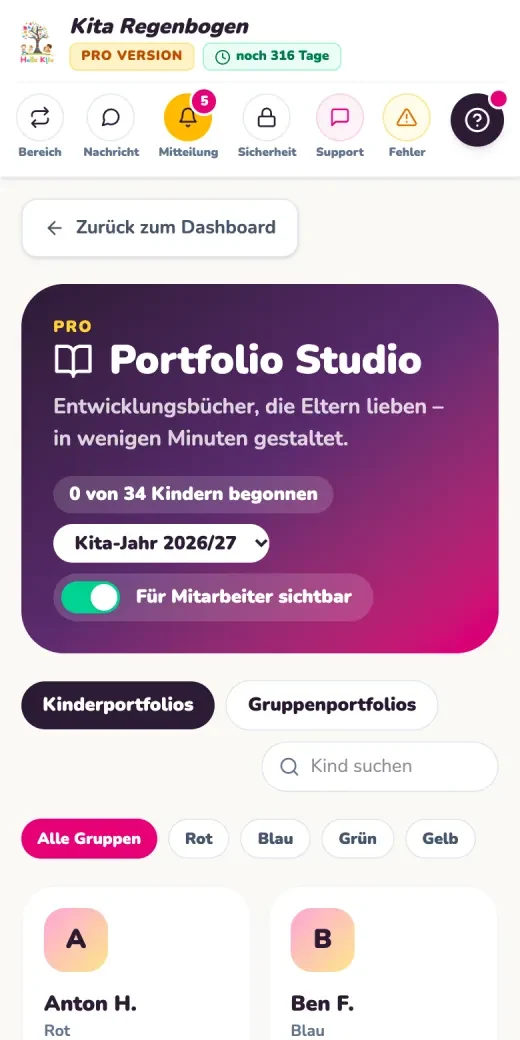
Not every note is ready for everyone to see. Daily records, settling in and portfolios serve different purposes, each with its own sharing permissions and plan limits.
Basic and Pro
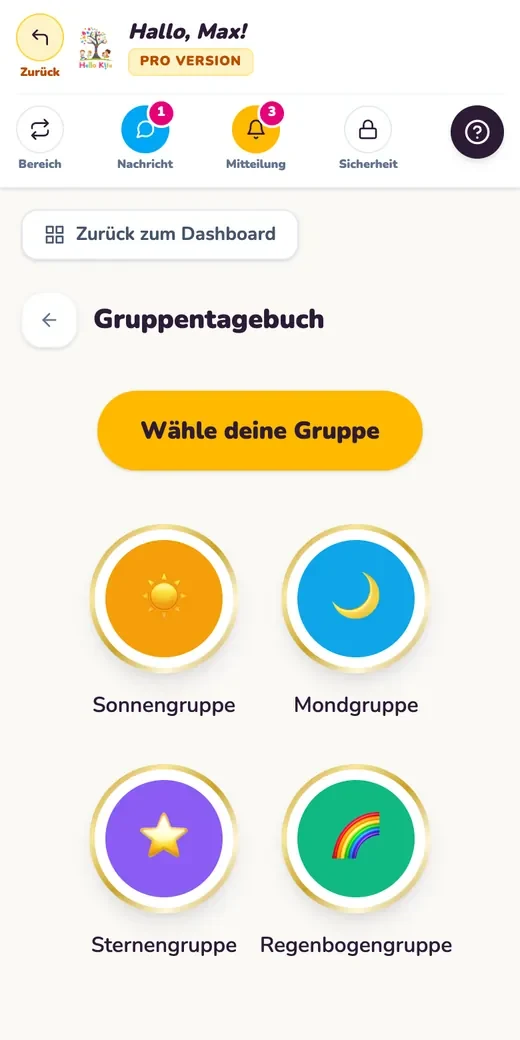
The group diary
Keep a shared record of group life. Core features also include nappy changing records and first aid records.
The nursery is not the only one sharing news. Parents contribute important details too: an absence, a new authorised collector or a change of consent. Hello Kita keeps this information in its designated places.
Invitations can be sent through a link or a letter with a QR code. Staff and parents receive separate accounts.
2
Keep details current
Parents manage details about their child and authorised collectors, including photo, phone number and consent. The time of each change remains traceable.
3
Choose the right scope
Basic offers German and English. Pro extends the interface to twelve languages. The four languages on this information page are separate from those app options.
TWO PLANS, CLEAR DIFFERENCES
What fits your nursery?
Start with the tasks your nursery actually needs to manage. Basic combines communication and essential organisation. Pro adds features including attendance, meal ordering and extended records.
01
Basic
Communication and everyday essentials
€29.90per month
Try for 14 days
Monthly payment. The first payment follows the trial period specified in your order.
Monthly contracts can be cancelled at the end of the current month. An annual contract is paid in full in advance; cancellation takes effect at the end of the contract year, without a partial refund. The terms confirmed when ordering apply.
The provider offers optional initial setup for €799 and additional storage from €1.99 per month, both excluding VAT. Discuss whether either is useful before ordering.
The source pages do not consistently identify the plan for every shift planning feature. Please clarify the scope you need and any possible plan change with the provider in advance.
FROM FIRST INTEREST TO YOUR OWN ACCOUNT
A prepared start, step by step.
Introducing software starts with clear responsibilities. Use these questions to prepare for your conversation. Agree a specific setup process and any support with Wasa Consult.
01
Identify your needs
Which groups and roles are involved? Is communication the priority, or do you also need attendance, meals and portfolios?
02
Clarify the plan and terms
Compare features, storage and languages. Ask about contract length, the trial period and optional setup.
03
Prepare accounts and permissions
Decide who will take responsibility for each task. The data processing agreement is completed digitally during registration.
04
Invite staff and parents
Explain access and your nursery’s rules to everyone involved. An invitation link and a letter with a QR code help you share the details.
RESPONSIBILITY NEEDS CLARITY
Sensitive data. Appropriate permissions.
The nursery or its operator remains responsible for information about children, parents and staff. Wasa Consult processes this data on its instructions. A data processing agreement under Article 28 GDPR governs the arrangement.
Separate areas
Each organisation’s data is kept separate; roles and permissions control access. Health details and emergency contacts have their own permission checks.
Protected transfers and files
The provider’s documentation describes TLS encryption, private file storage and checks on file type and size.
Access and backups
Provider access is subject to the nursery’s approval. Regular backups are provided for at the hosting provider.
Discuss the data protection requirements of your nursery and its operator before getting started. Wasa Consult can answer your questions about data processing and the technical arrangements.
THE NEXT DIRECTION
What does your nursery need?
Tell us briefly what you would like to organise. Wasa Consult is your contact for Hello Kita and choosing a suitable plan.
01Is Hello Kita a daycare app for nurseries in Mönchengladbach?+
Hello Kita is browser software for organisation and communication, available for enquiries from nurseries in Mönchengladbach. The provider is Wasa Consult, based in Heinsberg. This page makes no claim of a branch or named customer nurseries in Mönchengladbach.
02Do parents need to download an app from a store?+
The application works in the browser and can be added to a smartphone’s home screen. A native app from an app store is not required. The nursery and its users have their own accounts.
03How do Basic and Pro differ for meals?+
Basic lets users view the menu. Pro adds ordering and cancellation within the agreed deadline, credit balances, billing and kitchen overviews by group, allergies and meal type.
04Can our nursery record attendance directly?+
Checking children in and out and live attendance are included in Pro. A paired tablet terminal is also provided for in that plan. Parents can report an absence in Basic.
05How long can we try Hello Kita?+
Basic offers a 14 day trial and Pro offers one month. The first payment follows the respective trial period. Selection, payment and continuation are governed by the specific offer terms confirmed when ordering.
06What does annual payment mean?+
Basic costs €299 per year and Pro costs €699 per year, both excluding statutory VAT. The contract year is paid in full in advance. Cancellation takes effect at the end of the contract year; a partial refund is not provided.
07Which languages does the app include?+
Basic offers German and English, while Pro offers twelve interface languages. The four language versions of this information page are separate and do not describe the languages included in your chosen app plan.
08Who decides which records parents can see?+
Permissions and sharing settings control access. For settling in records in Pro, staff choose when to share content with parents. In Portfolio Studio, Pro includes design tools, PDF export and selected sharing; Basic allows viewing.
09Who can answer our setup and privacy questions?+
Wasa Consult is your contact for Hello Kita. Call +49 2452 860 83 73 or email info@wasacon.net. Discuss your required features, optional setup and your operator’s requirements with the provider. The data processing agreement is completed digitally during registration.